As students, we have journeyed through the first half of ED534: Seminar in Digital Authorship. We have been consumers, analyzers, curators, and creators of information in a variety of formats. We have been independent and collaborative learners, asynchronously and synchronously.
During weeks one and two, our course materials focused on education. Our readings from Bruner, McCloud, Gauntlett, and Buckingham, suggested that the purpose of education may be one or more of the following: meaning, social, creativity, and collaboration. We compared and contrasted these readings to find common themes. “Learners as discoverers” was a common theme noted by many.
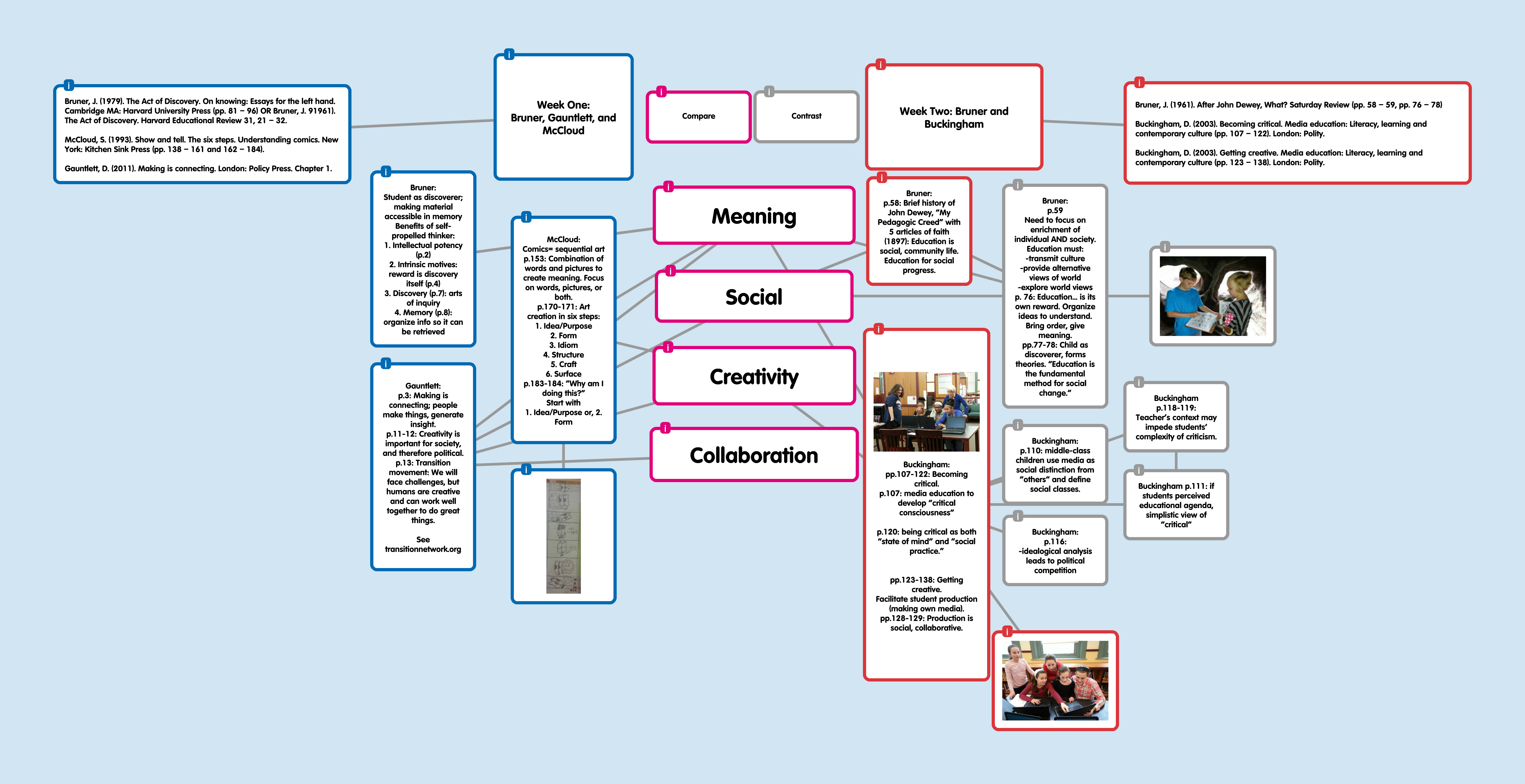
I created Padlets of some of these course readings to aid in my synthesis. Bruner: http://padlet.com/tmsjen/bruner; Gauntlett: http://padlet.com/tmsjen/gauntlett1; McCloud http://padlet.com/tmsjen/mccloud.
During week three, we explored the “relationship between critical analysis and creative production” (course website). We watched videos depicting two approaches to classroom video production (Teaching Channel and Adobe Youth Voices) and again, we compared and contrasted. The first approach enhanced students’ job skills in order to prepare them for future employment. The second approach used video production as a platform to empower student voices. We also curated 100 people or organizations, in the field of digital literacy, to follow on Twitter. Whether neo-Twitters or Twitter gurus, we were expected to scan message-makers’ tweets routinely for content relevant to our own practices. As a new user, I found Twitter to be an engaging platform for ideas. I connected first with colleagues I know and with fellow attendees of the course. These were the most logical and came closest to my comfort factor as compared to known modalities. Then, I searched beyond to find leaders in the field of digital literacy. This was fascinating to me; previously, my engagement with media concluded with the closing of the last page or with the viewing of the video. I have not made a practice of commenting on online media, for example, so this new type of engagement opened doors for me. Finally, I sought a sampling of companies providing digilit services. Although I understand the companies have a commercial interest, I also understand that the services and products they provide may assist me in my quests as media consumer, synthesizer, and sharer of new knowledge.
During week four, we looked at digital authorship both in and out of school. We considered 30 terms from “Words Matter” (NAMLE) and identified our own key factors when constructing a message. We were encouraged to select key terms and explain why they resonated with our teaching and learning style. I selected creativity as my leading factor. I believe creativity allows freedom of expression and empowerment of authentic voice. I believe that without creative expression our expression is dull and meaningless. Without creativity, our messages don’t resonate, and therefore don’t have the power to affect change. Week four also celebrated our Twitter experience as we gained confidence. We retweeted, commented, and even created. We included #EDC534 as a searchable hashtag with each post, for our group’s efficiency.
During week five, we focused on using copyrighted material in the context of education. Our readings from Hobbs and Jenkins were centered on fair use. Through a selection of videos we caught glimpses of differing approaches to copyright law, whether favoring the user, favoring the owner, or calling for a balance.
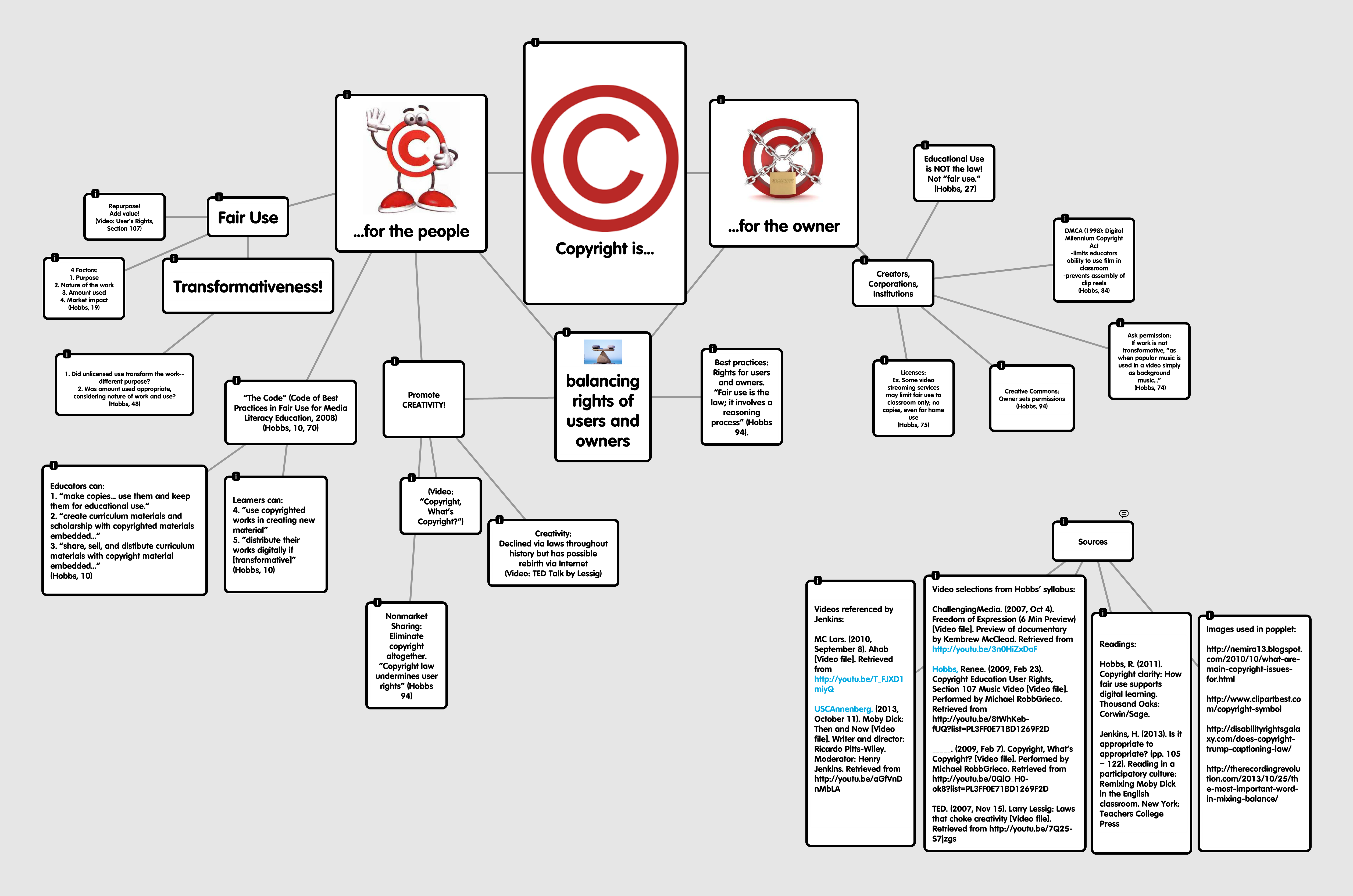
Throughout the first five weeks we began building a collaborative learning community. We reflected on ourselves as learners and shared our early experiences as creators of media through FlipGrid and our first LEAP assignment. We brainstormed using TitanPad, took collective notes through Google Docs, and attended virtual meetings via Google Hangouts. We considered our identities as “readers and writers in a digital media universe” (Renee on Hangout, Feb17). We offered ideas for tools to use when creating transformative works and indeed, we did create! We synthesized our learning through diagrams, largely on Popplet, in preparation for our second LEAP:
We produced videos about key ideas using any number of tools (So many! Moovly, Vimeo, Animoto, MovieMaker, and more). Some broke the seal on PowToons (amazing) and we all posted to our blogs. We curated digital literacy thinkers to follow on Twitter and sometimes, our coursework content creators even replied:
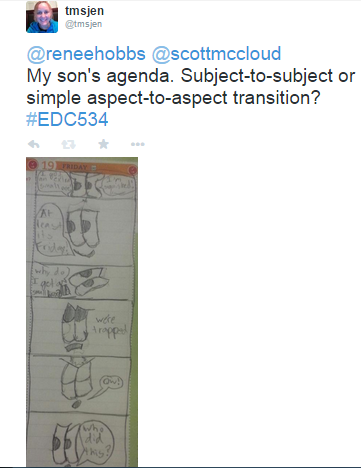
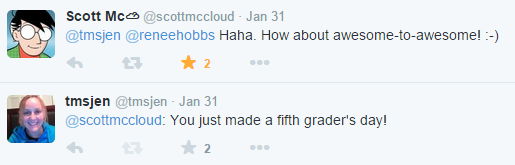
We discussed our Twitter “highs and lows” (Renee) and enjoyed the “bite-sized nuggetness” of succinct tweets (Jillian).
We engaged in seminar-style response when posting to FlipGrid. We read, viewed, and listened to each other’s work and our minds expanded, individually and collectively.
When I reflect on my own participation in this course, I find it nearly impossible to separate it from the description of key ideas requested in the first, sizable, portion of the essay. So intertwined are my experiences with the materials and my synthesis of the materials that I feel the metacognition burning my brain. I could not resist the temptation to insert my own understanding of course materials into the description of the resources, for example. I found it most effective to explain my learning by showing a product of my learning, and therefore my participation.
Also intertwined are the myriad collaborative opportunities afforded by a course of this nature. When synchronous and asynchronous blend in such a way that I need to refer to the course website to determine which events occurred on the Hangouts and which occurred in the solitude of independent study, I know the goals of the course are being met. I constantly find myself asking, “Did Jillian say that during the Hangout, on the FlipGrid, or in person (Oh, I’ve never met her in person!)?” In fact, I don’t really feel my independent study time is independent, because I make a practice of using the idea-sharing tools as I process. “Wow, Kayla’s popplet was a great example of compare and contrast. I didn’t glean the same key ideas, but I like how she illuminated her thinking in that organized way and now I’ve learned something new, too.”
As a teacher librarian, I have implemented the use of course tools into my library classes and into my collaborative co-teaching lessons. I have used Padlet as an online idea-sharing platform with my fifth and sixth grade classes. With grade five, I asked students to contribute their knowledge about RICAT, our online catalog. Their contributions, while largely accurate, demonstrated a surface knowledge in the use of RICAT and identified gaps that I need to fill in order to make them proficient, independent seekers of information. I have used Padlet with my sixth graders as a tie-in to our school-wide Positive Behavior Intervention and Support (PBIS) plan and the acronym POWER: Participation, Organization, Work Hard, Everybody Safe, Respect. Students had to pick at least one letter from the POWER matrix, give an example of how they demonstrated that action in school, and time allowing, add an image to support their thinking. The students said they liked this activity, and I liked it, too. It gave them a creative vehicle to express an otherwise “boring” matrix (their opinion); it also satisfied administrative requests to reinforce the matrix, but in a different way. I appreciated that I received contributions from ALL students, especially since time constraints during class usually relegate a small amount of whole-group participation. There was a learning curve, for me and for the students, about the responsible use of technology tools. Students found it amusing that since everyone could see everything that was typed, jokers could use a pseudonym to post silly content(“Jay-Z says Wazzzzuuuuuppp?) or inappropriate, decidedly non-powerful language. This introduced the teachable moment of digital citizenship and for some, the consequences of digital disruption.
In collaboration with a sixth grade ELA teacher, we instructed students in the use of MovieMaker to create book trailers. Before the trailers were created, the ELA teacher facilitated reading circles and responses to literature. When students were ready, we co-taught the skills of finding images to support your theme, recording narration, selecting and inserting music, and adding text features. The ELA teacher was the content-area specialist, ensuring students were focused on the theme; I was the technology advisor, guiding the “how-to” practicalities of the program. After students finish their projects, the ELA teacher and I plan to embed the best examples into a Padlet. It is important to note that the technology teacher also instructed a unit on MovieMaker and that the ELA teacher, a veteran of last year’s sixth-grade documentary project, has amassed technological skills of her own. Together with one of the school’s reading specialists (our project point person), we are moving students toward this year’s documentary project, to be screened in a local theater this June.
During our documentary project I plan to implement my learning from Copyright Clarity by Renee Hobbs. The text, in combination with the two videos on copyright she co-created, “Copyright, What’s Copyright?” and “User’s Rights: Section 107” transformed my understanding of copyright law. I learned that copyright law was originally written to protect the spreading of new ideas (the user!). The most astonishing fact I learned is that educational use and fair use are NOT the same thing (a fact I posted to Twitter #mindblown); in fact, educational use hampers fair use (Hobbs 27). From the “Section 107” video I learned that our students need to “Repurpose! Add value!” to create transformative work. From the text, I learned that copyright law protects the owner too, and using music in a documentary requires evaluation of fair use practices (Hobbs 74). If music is analyzed and explained, it may be fair use; if used simply as background music to entertain or catch attention, it may be the same purpose as the original work and not transformative, therefore not fair use. The clips we add to our documentaries may be fair use, if we use only what we need and use them in a way that transforms the use. If we are using clips from our paid videostreaming service, however, we’ll need to check the license to see what, if any, restrictions are placed on their use. Similar principles apply when considering photos or other materials used for student work. Because the fair use doctrine requires evaluation on the part of the user, I feel confident we’ll be able to complete the projects in a way that balances owners’ and users’ rights, while still creating new knowledge.
I have also used Screencast-o-matic to create an instructional tool that can be used as a mini-lesson and watched again for the reinforcement of learning. This was especially helpful for a large group of fifth-grade learners, some of whom arrive after the start of class due to other pull-out services. This afforded the opportunity for the paraeducators to watch the video with the children and help them catch up on missed instruction. One paraeducator later reported to me that she watched the video again in the classroom and helped the child complete the given assignment. Some students who were present for the mini-lesson watched the video during class for reinforcement of on-task skills as well.
Overall, I have found EDC534 course media, collaborative experiences, and assistive tools to be most helpful. I look forward to learning more about some tools, particularly PowToons and Blendspace. I also wonder what types of video creation tools are available for a BYOD environment. These tools would have to be simple to use yet complex enough to offer user control over image sequences and the insertion of narration. With the documentary project team, these tools would be employed to enhance students’ successes in creating their own videos. This is particularly important as we have limited access to technology tools due to PARCC and other testing windows.
 tmsjen
I love your post and the ways in which you explored, analyzed, and used technology tools. As for video creation in BYOD, look into iMovie, MovieMaker, and WeVideo. As a Mac and iPad user, I am a fan of iMovie, but the Shadow Puppet EDU version is another possibility. Also, consider an educator’s account for VoiceThread, and you already know about PowToon and Animoto. Any one of these will work in BYOD for those with laptops: iMovie for Mac products, and the others that are web based will work on PC/Android for the most part. iMovie even works well on an iPhone, and VoiceThread works find on many cell phones, although a web-based account will be needed to embed final a VoiceThread into a blog. Keep in touch on Twitter, where I am @judyarzt I found you through your course hashtag as someone in your class re-tweeed one of my tweets to that hashtag.
LikeLike
Judy,
Thank you for your thoughtful and helpful reply. BYOD is our true, spontaneous, experimental focus this year as we planned to have full access to our PC tools and MovieMaker but have recently been notified that all devices will be in use during weeks of standardized testing. Therefore, we are looking for alternatives that our students may use and a combination of smartphone/tablet apps, used with online, platform-generic tools, seems preferable.
One of our teachers has played around with ShadowPuppet and loves it. I have an Android device so I’m looking for Droid alternatives; you suggest VoiceThread which is new to me (Thanks!). I have used Animoto (Does it offer enough user control for separate audio tracks of narration and backgound music?) and as you note from my blog post, I plan to learn PowToon next.
Again, thanks for your time and expertise. I really appreciate your comments and I feel confident my students will benefit from your idea sharing.
LikeLike
Here are the links to open educator accounts for Animoto and VoiceThread, both of which work on any device:
Open An Educators Animoto account
http://animoto.com/education/classroom
VoiceThread Educators Account
https://voicethread.com/register
For VoiceThread, open your account on a regular computer, and then use any device such as phone to do the voice or video comments. If you need to get an embed code to put the finished digital story into a blog, you will need to use a regular device, not the phone app.
To add narration to Animoto, create the media first as a video, for instance on your phone with its camera. Animoto will allow you to upload video and photos and add music. To get narration on, just do it with video in advance. If you create the video on your phone, you can also send it to yourself to store on laptop or tablet, if you want all the media in one folder.
I generally find when using digital story apps and when uploading media having it all in one place helps.
The audio or video with VoiceThread is done right within the app.
I have a lot of information on this site about digital story tools and examples of ones done with each tool on this site.
https://sites.google.com/site/ncte14/introduction
Do you have the educators upgrade for Powtoon?
LikeLike
Thanks, Judy! Progress since your last assist:
1. PowToon is really cool, and yes, I have the educators’ upgrade. I used PowToon with a class partner for our latest assignment.
2. Animoto is a quick tool for video; may not have enough power to insert the myriad media our students will be using (also downloading C-SPAN videos). It is entirely possible that I just don’t understand how to utilize all the capabilities of Animoto yet.
3. I have yet to play with VoiceThread but that’s next on my list.
4. Your site with digital story tools served as a great resource for examples using different tools.
Thanks again!
LikeLike